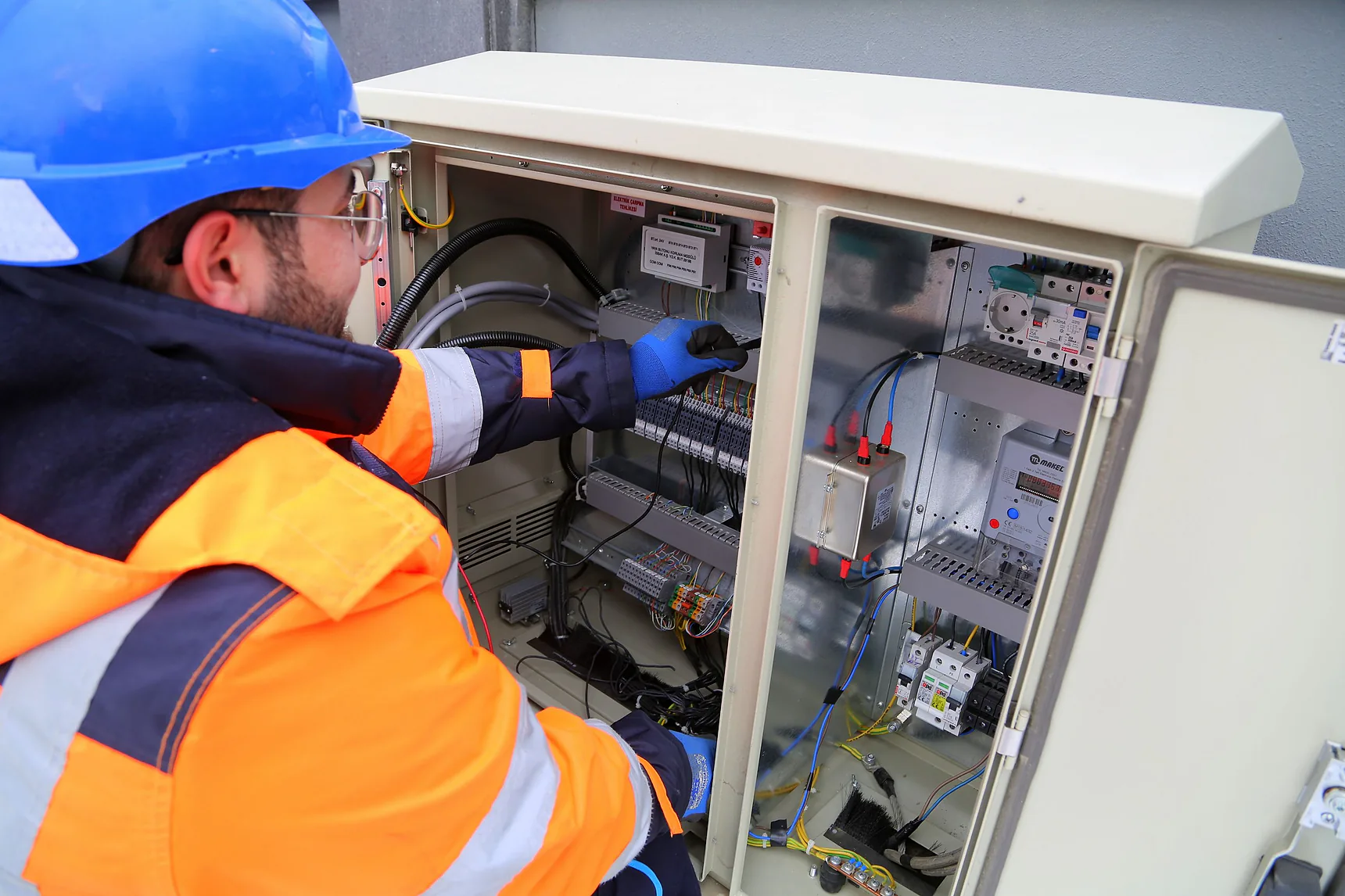


A panel array can be installed perfectly and still create a headache for the office if the evidence is scattered across three installers’ mobiles, a group chat and someone’s camera roll. A solar job photo documentation app puts those photos where they belong: against the customer, the site and the completed job.
That matters when a customer asks what was installed six months later, when a retailer needs a commissioning record, or when the team needs to prove a cable route before plasterboard goes back on. Photos are not just job memorabilia. They are operational records.
For Australian solar, battery and EV charging businesses, the aim is simple: capture the right evidence once, make it easy to find, and stop the office chasing the crew after every install.
Why job photos become a bottleneck
Most installers do not have a photo problem. They have a retrieval problem.
The crew takes photos because they know they should. Then the images stay on personal mobiles, get sent through SMS, land in a WhatsApp thread, or arrive at the office with filenames such as IMG_4821. A salesperson cannot see them while handling a post-install question. The compliance person does not know whether the switchboard, inverter label or battery location was photographed. The installer is back on the tools and does not have time to hunt through 900 images.
This gets worse as the business grows. One crew may take excellent before-and-after photos. Another only photographs the finished panels. A subcontractor may send a folder days later, if at all. There is no consistent record of what was captured, who captured it or whether the job is ready to close.
The cost is not limited to admin time. Missing records can delay handover, complicate warranty conversations and make a straightforward complaint expensive to investigate. It also makes future site visits slower. If the customer calls about adding a battery, your team should be able to see the existing switchboard, inverter placement and cable pathways before booking a truck roll.
What a solar job photo documentation app should do
A useful app is not a generic cloud folder with a solar label on it. It needs to follow the way an installation business actually works, from sale through site visit, installation, handover and after-sales support.
At a minimum, every photo should attach to a specific customer and job record. Office staff should be able to search by customer name, address, job number or installation stage without asking the person who took the photo. Field staff should be able to upload from a mobile on site, not wait until they are back at the depot.
The stronger systems also make required evidence visible through job checklists. For example, an install workflow may require photos of the roof condition, array layout, inverter serial number, battery serial number, switchboard work, warning labels, isolators and final commissioning screens. The exact list depends on the equipment, the job scope and your internal compliance process. A battery retrofit needs different evidence from a straightforward solar install.
That distinction matters. A checklist should guide the crew, not create pointless photo-taking. If your team is forced to upload 25 images on a simple job just to tick boxes, they will find workarounds. Build requirements around genuine handover, compliance and service needs.
Photos need context, not just storage
A good record answers basic questions without a phone call: What is this? Where on site is it? When was it taken? Which job does it relate to? Who uploaded it?
Photo captions, category labels and time stamps turn a gallery into evidence. It is the difference between seeing a close-up of an inverter and knowing it is the final inverter serial number at the Smith job in Penrith, taken before handover.
Some teams also benefit from annotated photos. Marking a proposed battery location, cable route or access issue during a site visit can reduce confusion between sales, design and installation. But do not confuse annotated photos with an engineering drawing. Use the right document for the right decision.
Build the photo workflow around the job
The best time to decide what photos you need is before the installer arrives on site. A workflow connected to your CRM and job pipeline means the office can set the job up properly, while the field team sees only what is relevant.
Start at the site visit. Capture roof access, meter board condition, proposed equipment locations, shading concerns and any obvious variations. These photos help the sales and design team quote accurately. They also protect the business from the classic “that was not discussed” conversation once installation day arrives.
During installation, the crew should document concealed or difficult-to-inspect work before it disappears. Cable routes, roof penetrations, mounting methods and switchboard changes are much easier to verify in the moment than weeks later.
At completion, collect the evidence the office needs for handover and future support. This commonly includes equipment labels and serials, final array presentation, safety signage, battery clearances where relevant, monitoring confirmation and customer handover photos. The precise requirements should match your system design, internal procedures and applicable rules.
Once the required photos are in, the job can move forward. The office sees that documentation is complete, sends handover material, triggers the review request at the right time and closes the workflow. No separate spreadsheet. No Friday-afternoon message asking whether anyone has the inverter serial photo.
The real gain is faster decisions
Photo documentation is often sold as a compliance feature. It is that, but the commercial upside is broader.
When records sit inside the customer timeline, the sales team can answer an upgrade enquiry with confidence. A homeowner who installed solar two years ago calls about a battery. Instead of booking a speculative site visit, your team can inspect previous photos, confirm the existing equipment and have a more useful first conversation.
Service work improves too. If a customer reports a fault, support staff can review the original install records before dispatching a technician. The technician arrives with a clearer picture of the system and a better chance of carrying the right parts. That protects margin and reduces unnecessary return visits.
There is also a brand benefit. Clean, well-labelled job photos make the business look organised because it is organised. Customers may never see the internal workflow, but they feel the difference when handover is prompt, questions are answered quickly and nobody needs to ask them to photograph their own inverter label.
Where generic apps fall short
A standalone photo app can be cheap and quick to deploy. If you only need a shared place for job images, it may be enough for a small crew. The trade-off is that staff still have to move between systems: CRM for customer details, messaging for updates, storage for photos, spreadsheets for job status and another platform for follow-up.
That fragmentation is where jobs slip. An image may exist, but the job is still marked incomplete. A lead may become a customer, but the install record never connects to the original quote. A review request may go out before the office knows a documentation issue is unresolved.
A solar-specific operating system is more useful when photos are part of the wider workflow. The job record should sit alongside the enquiry, quote, booked site visit, communications, compliance tasks and post-install follow-up. That is the model LYD Solar Suite is built around: fewer disconnected tools and a clearer path from first enquiry to completed, documented job.
Integration does not mean every process should be automated without oversight. Site conditions change. Equipment substitutions happen. A missing image may be reasonable if a component was not part of the final scope. Your team still needs a clear person responsible for checking exceptions before a job is closed.
How to get crew adoption
The app can be excellent and still fail if it adds friction at the end of a long day. Make the field process fast, specific and fair.
Give installers a short, role-based checklist rather than a massive office checklist. A roofer may need array and penetration photos. An electrician may need switchboard, isolator, inverter and commissioning records. A site supervisor may need final presentation and customer handover evidence. Each person should know what good looks like before the ute leaves the depot.
Set a practical standard for photo quality. Photos should be clear, well lit and wide enough to show context, with close-ups where serials or labels must be readable. Blurry images and extreme close-ups create the illusion of documentation without the value.
Then make completion visible. If the office can see documentation status in real time, they can fix gaps while the crew is still nearby. That is far better than finding a missing photo after the job has been invoiced and the installer is two suburbs away.
Questions to ask before choosing a system
Before committing to a solar job photo documentation app, test it against a real installation workflow. Can a technician upload photos on site using a mobile? Can the office find every image from the customer record in seconds? Can you require different photos for solar-only, battery and EV charging jobs? Can a job remain open until the required evidence is checked?
Also ask what happens after the photo is uploaded. If it does not connect to job status, handover, service history or customer communication, you may be buying storage rather than operational control.
Do not buy software because it promises to make paperwork disappear. Good documentation still requires the crew to capture evidence and someone to verify it. The right system makes that work quicker, more consistent and far less painful to manage.
The useful test is simple: when the office gets a customer call at 4.45 pm, can they open one record and know exactly what was installed, what was photographed and what still needs action? If the answer is yes, your photos are finally doing their job.